Java Annotation-built in annotation
Here is the video version:
What are some built in annotations
We can check some definitions from the Wikipedia page about Java annotation
We found that they introduced three built in annotation here

@Override:
check if the method is correctly overriding another one
@Deprecated:
to note that the method is out-dated (might have a problem or too
slow)
@SuppressWarnings:
to wipe out warnings
now let's jump into some code and see how these three annotations are working in real-world cases
@Override
As we introduce before in the Annotation-intro,
@Override annotation is for checking whether a method is
correctly overriding this class’ super class, or interface.
Let's go through some example codes:
We have an Animal class:
1 | |
And a catclass that extend Animalclass:
1 | |
@Deprecated
@Deprecated annotation will mark current method as
out-dated.
Let’s look at an example.
We have a SumCalculatorclass in which we are planning to
do sum calculation. At first we have the method as such:
1 | |
but later on we found that the sum()method can only take
two parameters, but we wanna change it so that it could take whatever
numbers people wanna input. Moreover, we also wanna inform people that
the sum()method is out-dated. Instead, people should use
sumNumbers(). We can do such thing:
1 | |
Notice here we can add a @Deprecated on the top of
sum() method. Thus when we call it, we will have following
effect to remind users that they are calling deprecated methods.
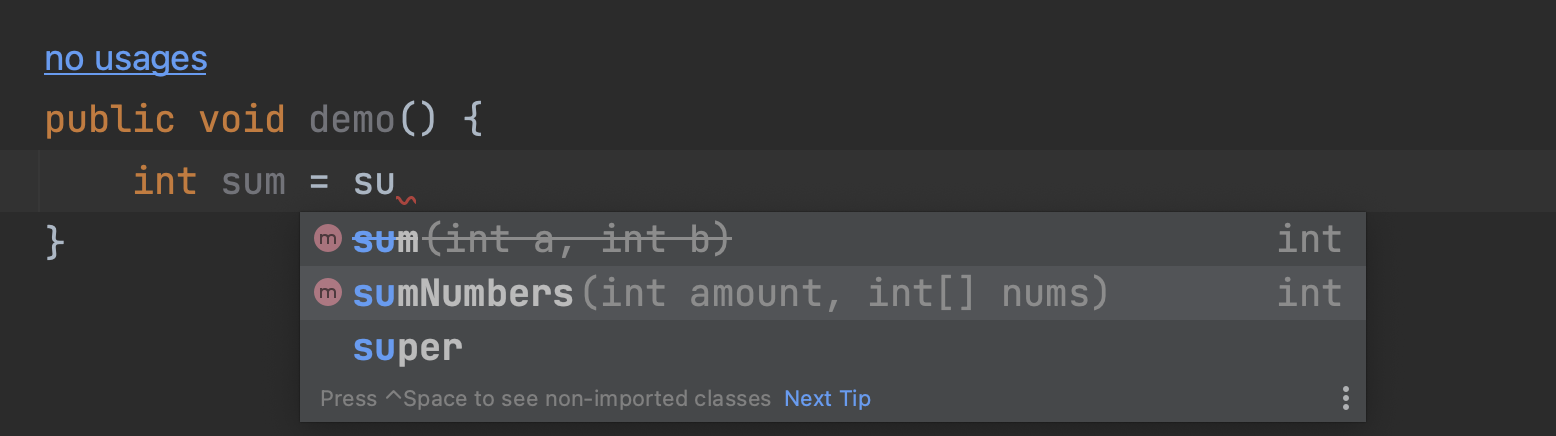
Some source code with
@Deprecated:
Where do we see a lot of deprecated method? When we are coding
involving Date class.
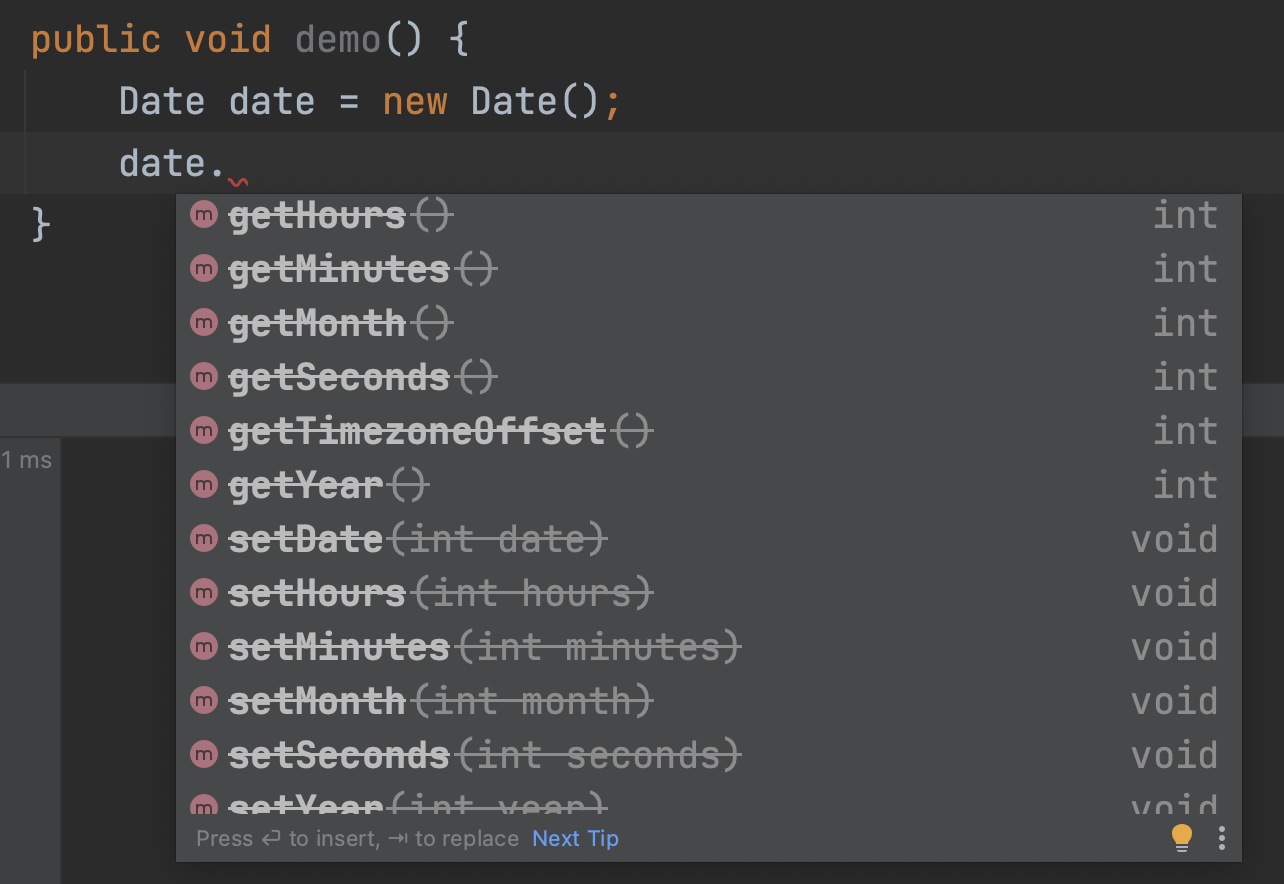
@SuppressWarnings:
This annotation is used to suppress compiler’s warning.
When we write code like this, we can see on the top right corner where is a yellow triangle with an exclamation mark with number 4. We can also see that on the right side, there are 4 bars.

Each bar represent some warning. Such as “Method ‘test()’ is never used”.
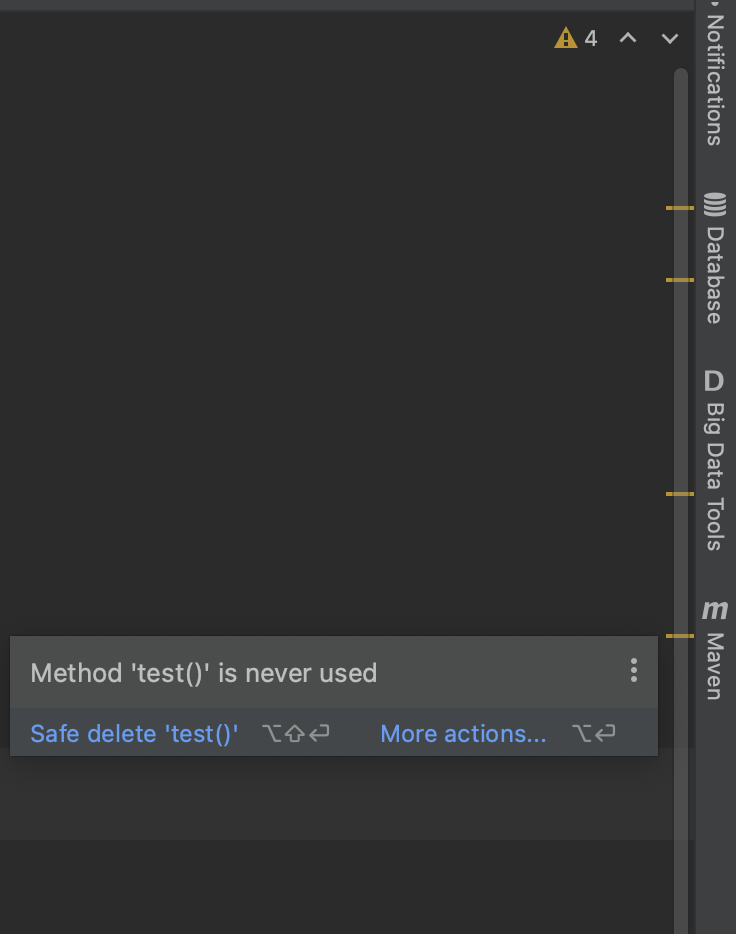
But we can suppress the warning by doing this:
1 | |
Notice we added @SuppressWarnings("all") on the top of
the method whose warning you want to suppress.
After doing this, you will find that the yellow bar disappeared.
- Parameters in annotation:
You might have noticed that there was an “all” parameter inside of the annotation. This means we want to suppress all the warning. We will look as this later.
Normally, we would add @SuppressWarnings("all") on the
top of the class, so that we can suppress all the warnings.